Onveda CPQ: CPQ software for products with many variants
Onveda CPQ is CPQ software for your sales team. It guides reps through the configuration, calculates the price by your rules and produces a quote that is technically correct. Built for machinery and plant engineering, technical wholesale and IT system integrators.
Where quotes get stuck today
- A field rep calls engineering because nobody is sure whether option B works with drive C.
- The price list is an Excel file. Two people know which version is current.
- Discounts get approved by email. Six months later, nobody remembers why.
- The quote takes three days. Your competitor sent theirs the same afternoon.
How it works
- Inquiry
- Configuration
- Rule check
- Price
- Quote
- 1
Configure
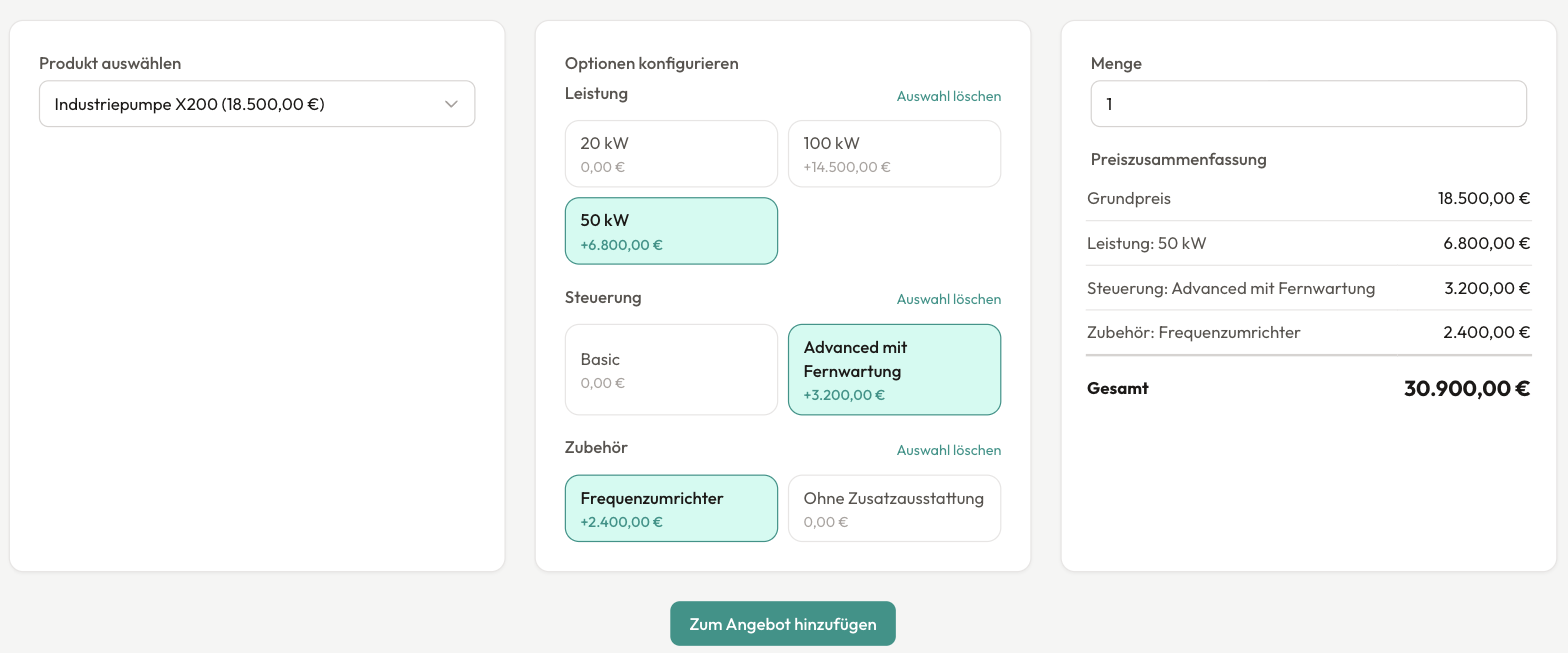
Sales picks the options. Rules from your engineering team make sure only buildable combinations are possible.
- 2
Calculate the price
List prices, surcharges and discounts come from a single source. Anything above the approval limit goes to the right person automatically.
- 3
Send the quote
The quote is generated as a PDF in your layout, with all technical data, and goes straight from the system to the customer by email.
What Onveda CPQ does
Rule-based configurator
Options and values per product. Dependencies define what belongs together and what rules each other out. Required accessories are added automatically.
Pricing rules and price lists
Surcharges, factors and discounts as rules. Separate price lists for customer groups and individual customers.
Approvals
Multi-level approval as soon as a discount or quote value exceeds the limit you set. Every approval can be traced later.
Versioned quotes
Every change creates a new version. Status runs from draft to “sent” to “accepted” or “declined.”
PDF in your layout
Document templates with your logo, colors and company details. Quote templates for recurring cases.
Guided selling
A questionnaire leads from the customer's needs to the right product. Useful for new hires and inside sales.
Bundles and contracts
Product bundles with their own price. Contracts with terms and renewals.
Integrations
REST API with API keys, webhooks, order status updates from your ERP, CSV import and export, single sign-on.
AI assistance
Paste a customer inquiry as text and the system suggests a quote. It also suggests quote text and options.
Reporting
An overview of open quotes, revenue and win rate. You can build your own reports.
Why Onveda
We have built configurators for years, for example for SMS group's industrial plants. Along the way we saw where the hard part is. It's rarely the user interface. It's almost always the rules and the connection to ERP and price lists. That is exactly where Onveda CPQ comes in.
Read the SMS group configurator case studyQuestions we hear a lot
A demo with your own product
Send us a product that gives your sales team headaches. We'll model it in Onveda CPQ for the demo, so you can judge the fit on your own example.

Jens Bohl Founder and Managing Director